Seasonal club enrolment: keep track of every class enquiry
Bring form submissions, calls and social messages into one enquiry list. Give each a status, a contact owner and a clear next action.
When class enquiries arrive through a website form, phone calls, Facebook messages and conversations after training, the club needs one shared place to follow them up. Give every enquiry a status and a named person responsible for the next action. Review the people still waiting for a reply each day. You can organise this process in a spreadsheet or in club management software.
Where enquiries arrive and why they are missed
For a club running children's classes, a new season can bring enquiries from several directions:
- The website form: an email goes to an inbox monitored by one person.
- Phone calls: someone calls a coach's number between classes.
- Facebook and Instagram messages: whoever manages the profile sees the conversation.
- Conversations at the venue: a parent mentions that another child would like to try a class.
- Referrals: a number passed on by another parent is written on a piece of paper.
An enquiry can be missed because these channels have different owners and nobody sees the whole picture. The coach assumes the office called back; the office assumes the coach did. The parent is still waiting.
The practical rule is one shared record. Agree that enquiries from every channel are entered in the same list by a deadline the team can meet, such as the end of that working day. You keep the channels that families use, but coordinate the follow-up in one place.
Keep one enquiry list with clear statuses
The list might be a spreadsheet, a shared board or a software module. Keep the information needed for the next step consistent:
- the parent or guardian's name and the child's name;
- the child's age or year of birth where needed to select a class;
- contact details needed for the agreed follow-up;
- the enquiry source, such as a form, call, Facebook or referral;
- preferred group, venue or days;
- the person responsible for the contact;
- the date of the last contact, next action and a brief relevant note.
Do not collect a full participant record before you need one. A short enquiry form and a completed enrolment record serve different purposes.
A simple status sequence can be:
- New: nobody has spoken to the parent yet.
- Trial booked: a class and time have been agreed.
- After trial: the child attended and the family is considering joining.
- In contact: a conversation has taken place but a suitable date or decision is still outstanding.
- Enrolled: the participant has joined a group.
- Closed or declined: the family has declined or the club has closed its follow-up under its agreed process.
The person who takes an action should update the record. An unassigned enquiry with no recorded contact needs review, rather than an assumption that somebody else has handled it.
Agree who replies and when
Assign responsibility by name, not just to “the office”. Decide:
- Who calls back: one person for the club or one for each branch. A coach can enter a call in the list without having to manage every subsequent step.
- The response window: choose something the club can actually meet, such as the same or next working day. This is an internal working rule, not a promise that software will make the call.
- Who covers absence: make arrangements for holidays and illness.
- The daily review: check new enquiries without contact, trials coming up and families awaiting a next step after attending.
Keep the first conversation practical: the child's age or experience, suitable times and the next available class. Agree a next action rather than leaving the enquiry as an open-ended note. The recruitment and trial class overview shows how the steps fit together.
Use one form link across your public channels
A form gives the club a consistent starting record. Keep it focused:
- Ask for the essentials. At enquiry stage, collect the guardian contact, the information needed to select an appropriate class and the preferred location or days. Collect further enrolment details at the appropriate step.
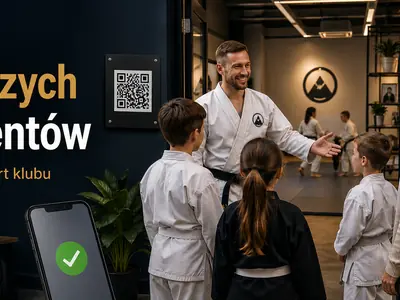
- Use the same form. Link it from the club website, relevant social posts, profile links and a poster QR code. Contact existing families only through channels and for purposes appropriate to the club's relationship with them.
- Acknowledge receipt. Explain that the enquiry has arrived and how the club will follow up. Set expectations the team can meet.
- Explain the use of contact details. Include the club's relevant privacy information and agree it with whoever handles data protection for the club.
People will still call or send social messages. Give them the form link or record the enquiry yourself while speaking to them. Avoid leaving the only record in a personal message inbox.
How this works in Klubownik
Recruitment provides the club's enquiry list. It can receive submissions from a linked form, an embedded form on your own website, the club's Klubownik website and seasonal recruitment campaigns. Parents receive an acknowledgement, and the club receives a notification of a new submission.
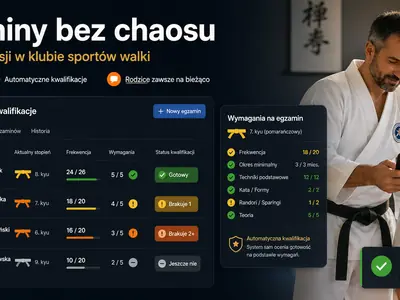
- Enquiry status: distinguish new enquiries, booked trials, people who have attended a trial, active conversations, enrolments and lost enquiries.
- A phone enquiry: use the add-enquiry action to record a name, phone or email, source and relevant note. Complete further details after the conversation where needed.
- A named contact owner: choose an active club owner or administrator to handle contact in the enquiry details. The task list can be filtered by that person.
- Seasonal recruitment: use a separate link or embedded form for a new season or group. Submissions still enter the shared Recruitment list.
- Club enrolment: a parent supplies the child's details, the form can suggest a group using the date of birth, and the club chooses automatic acceptance or approval.
Parent self-booking of a trial class is available on the club's Klubownik website. The embedded enquiry form on another website does not provide the same trial-booking calendar. Email is available from the start. Automated SMS requires SMS to be enabled, an active paid plan and Polish destination numbers. See the full recruitment process or the shared features for children's activities.
Frequently asked questions
Do I need software to organise enquiries?
Not necessarily. A shared list with relevant fields, clear statuses and a named contact owner can provide a starting process. Software becomes useful when several people handle more enquiries or you want supported acknowledgements and reminders to be sent automatically.
What should I do with enquiries in Facebook messages?
Reply with the form link or enter the enquiry in the shared list. A message left only in the profile inbox can be overlooked when several people manage the account.
What happens after an enquiry is recorded?
Contact the family, choose a suitable trial class and explain what they need to know before attending. Record the outcome and the next agreed step, including any follow-up after the trial.
The demo uses sample club data and asks for your email and activity type before entry. Explore Recruitment in the demo.