
Parent panel for sports clubs
Parents have everything in one place: the class calendar for all their children, fees, absence reporting, documents to sign and messages from the club.
A new owner’s first club starts with a 30-day trial without a card. Additional clubs use the owner’s subscription.
Core features in every plan · 30 days free, no card
In short
The parent panel in Klubownik is one guardian account for all the children in the club. Parents see the calendar of classes, events and camps, pay charges, report absences, sign documents and read messages from the club. The panel works in the browser, can be added to the phone’s home screen, and on iPhone or Android you can download the Klubownik app from App Store and Google Play. An adult participant has their own account.
Explore sample screens
Screenshots are in Polish and use fictional data. Open a larger image to see the details.
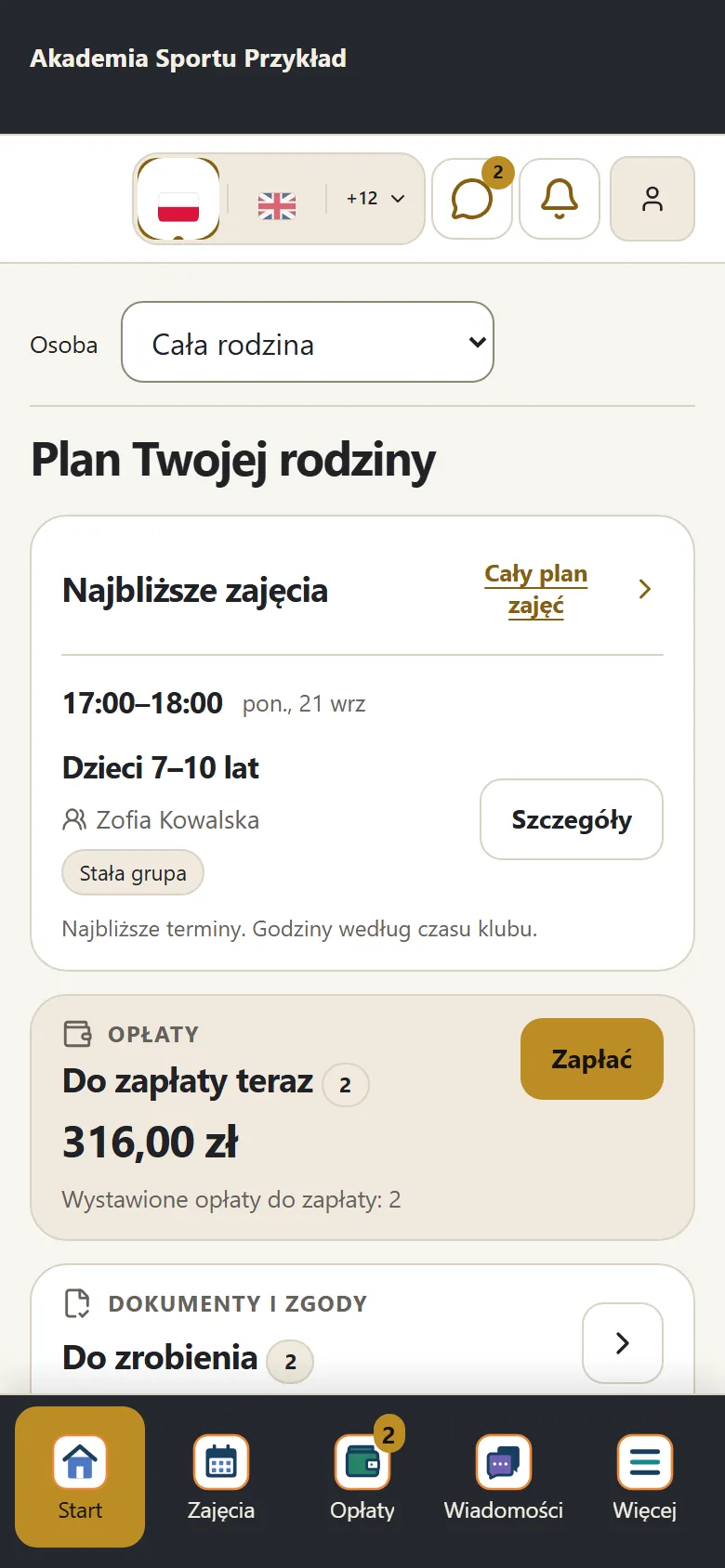 Enlarge screenshot (new tab)
Parent: family plan
Upcoming classes, the amount due and documents to complete.
Klubownik for parents and participants
Sign in with your account from a club that uses Klubownik. Store availability varies by country. iPhone: iOS 16.4 or later.
How it works
The parent creates an account
From an invitation from the club or when signing up a child. After signing in, they see all their children in the club.
Sees classes and fees
The class calendar of each child, charges due with bank transfer details and the payment history with invoices.
Handles things on their own
Reports an absence, signs the child up for an event, signs documents and, when the club enables make-up classes, books a make-up slot.
Gets messages
Announcements and messages from the club arrive by email, in the panel and — if the parent turns them on — as phone notifications.
What you get
One account for the family
All children on one account, a second guardian and people authorised to pick up the child.
Class calendar
Each child’s sessions, sign-ups, events and camps in day, week and month view.
Fees in one place
The “To pay” section, bank transfer details with a QR code, online payment when the club enables it, and invoices.
Absences and make-up classes
Report an absence for a single class or for a longer period. Book a make-up class when the club enables make-up classes.
Documents and consents
A finger signature on the screen, a confirmation or a voluntary consent. On acceptance, the document’s content and the time are recorded.
Child and adult accounts
A guardian can create a login for the child without an email address — there are no fees in the child’s panel. An adult participant has their own account.
Good to know
- The Klubownik app is on the App Store and Google Play. You can also use the panel in a browser and add it to your home screen.
- Parents enable phone notifications on each device. In the browser version on iPhone, notifications require adding the panel to the home screen (iOS 16.4 or later).
- The parent chooses the panel language from 14, but most emails from the club arrive in the language the club writes in.
Frequently asked questions
Does the parent have to install an app?
No. The parent panel works in the browser on a phone and a computer. It can be added to the home screen like an app, and on iPhone or Android you can download the Klubownik app from App Store and Google Play.
Can two guardians have access?
Yes. You add a second guardian to the family account, and in the panel you add people authorised to pick up the child.
Can a child have their own account?
Yes. The guardian creates a login for the child without an email address. The child sees their classes but not the fees.
How much does Klubownik cost?
Plans differ by the limit of active participants, text messages and file storage — the features are the same. Monthly prices incl. VAT: Starter PLN 49 (up to 50 participants); Standard PLN 99 (up to 150 participants); Pro PLN 179 (up to 500 participants). Paying yearly costs less, and the first 30 days are free, no card.
Ready for professional club management?
Create your club and try Klubownik with your own club’s data. The first 30 days are free.
A new owner’s first club starts with a 30-day trial without a card. Additional clubs use the owner’s subscription.
No credit card required • Core features and an industry module for 30 days, up to 500 participants